Mac Studio vs NVIDIA GPU for local LLMs: which is better value?
Updated: · Markdown
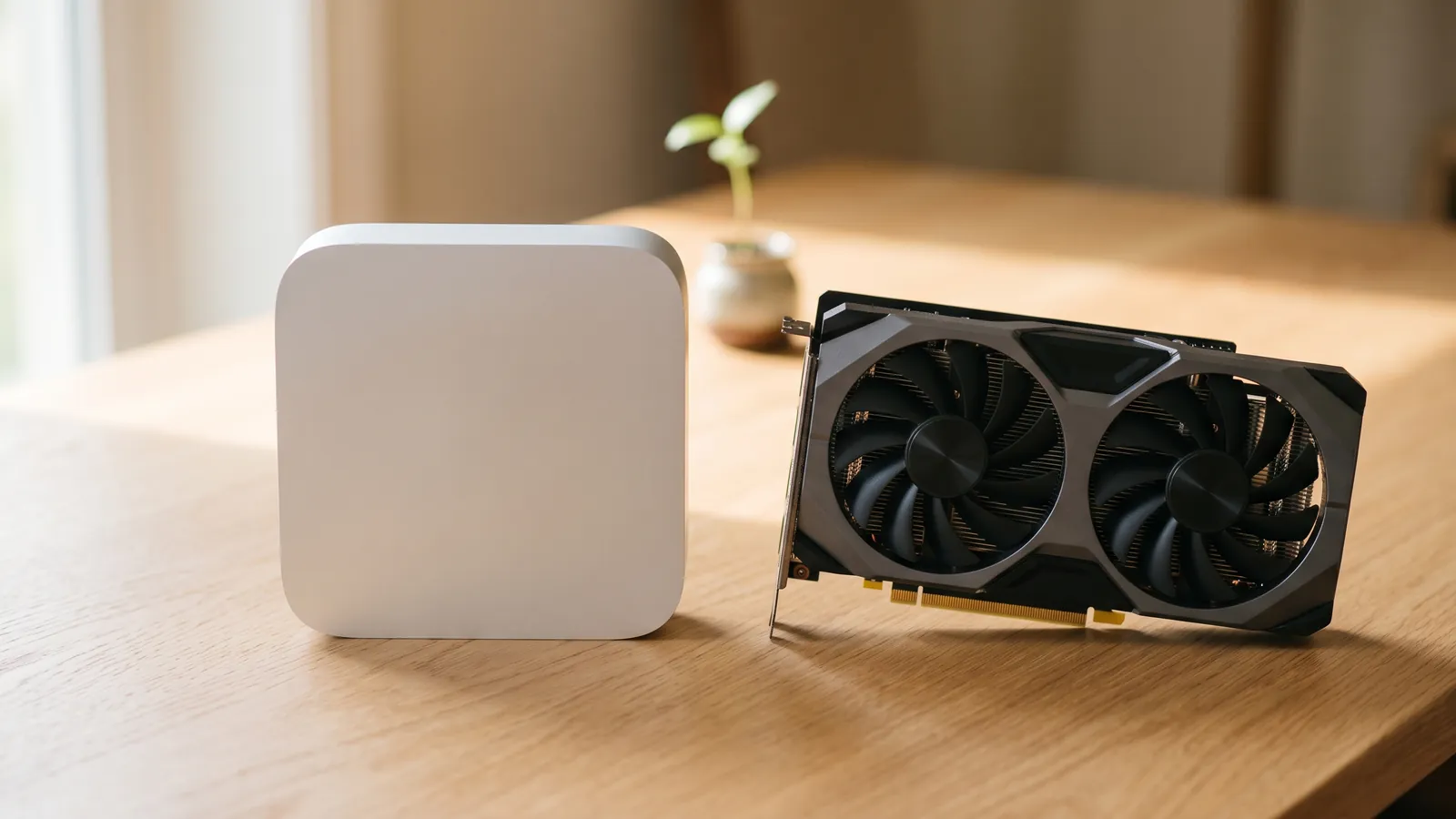
It depends on the size of the models you want to run: for models that fit in 16 GB, an NVIDIA graphics card is far better value; for 70B-class models, a Mac Studio is. At the reference prices we checked on 2026-10-14, the GeForce RTX 5070 Ti (US$1,169.99 at Newegg) scores 8.8 on our value score, which is estimated tokens per second on an 8B model per US$100, against 2.2 for a Mac Studio with M5 Max and 36 GB (US$2,499 at Apple). But no consumer NVIDIA card can hold a 70B model; even the GeForce RTX 5090 has only 32 GB. A Mac Studio with M5 Ultra and 96 GB, at US$5,499, runs Llama 3.3 70B at Q4_K_M at an estimated 18 tok/s. NVIDIA's 96 GB RTX PRO 6000 Blackwell Workstation Edition is faster, at about 28 tok/s, but costs US$17,999 for the card alone. Per gigabyte of memory, that is US$57/GB for the Mac Studio against US$187/GB for the card. Taiwan prices point the same way: NT$199,900 for the 96 GB Mac Studio, against NT$325,000 for an RTX PRO 5000 48GB Blackwell card, which runs the 70B model at about 21 tok/s with an 8K context but can't hold a 32K one. Prices are dated reference prices from our price tracker, and speeds are estimates from our method, not benchmarks.
Prices, memory and value side by side
The Apple rows are Mac Studio configurations at Apple's own store; the Mac Studio comes with an M5 Max or an M5 Ultra chip. The NVIDIA rows are graphics cards, priced without the PC around them, plus NVIDIA's DGX Spark, a complete mini PC. The last column is the estimated speed of Llama 3.3 70B Instruct at Q4_K_M with an 8K context, which needs about 44.5 GiB.
United States (US$)
| Hardware | Price (shop, checked) | Per GB | tok/s (est.): Llama 3.1 8B | Value (tok/s per US$100) | tok/s (est.): Llama 3.3 70B Q4_K_M · 8K |
|---|---|---|---|---|---|
| M5 Max (18-core CPU / 32-core GPU) (36 GB) | US$2,499 · Apple · 2026-10-14 | US$69/GB | 55 | 2.2 | Doesn't fit |
| M5 Max (18-core CPU / 40-core GPU) (48 GB) | US$3,099 · Apple · 2026-10-14 | US$65/GB | 71 | 2.3 | Doesn't fit |
| M5 Ultra (96 GB) | US$5,499 · Apple · 2026-10-14 | US$57/GB | 122 | 2.2 | 18 |
| GeForce RTX 5060 Ti 16GB (16 GB) | US$789.99 · Newegg · 2026-10-14 | US$49/GB | 57 | 7.2 | Doesn't fit |
| GeForce RTX 5070 Ti (16 GB) | US$1,169.99 · Newegg · 2026-10-14 | US$73/GB | 103 | 8.8 | Doesn't fit |
| GeForce RTX 5080 (16 GB) | US$1,779 · Newegg · 2026-10-14 | US$111/GB | 108 | 6.1 | Doesn't fit |
| GeForce RTX 4090 (24 GB) | US$4,395 · Newegg · 2026-10-14 | US$183/GB | 113 | 2.6 | Doesn't fit |
| GeForce RTX 5090 (32 GB) | US$6,885.90 · Newegg · 2026-10-14 | US$215/GB | 170 | 2.5 | Doesn't fit |
| RTX PRO 6000 Blackwell Workstation Edition (96 GB) | US$17,999 · Newegg · 2026-10-14 | US$187/GB | 170 | 0.9 | 28 |
| DGX Spark (128 GB) | US$6,950 · NVIDIA Marketplace · 2026-10-14 | US$54/GB | 32 | 0.5 | 3.8 |
Estimates from our methodology, using data as of 2026-10-16. Real speed depends on the runtime, drivers and prompt length.
Reference prices as each shop listed them on the day shown (latest check 2026-10-14), new and in stock; see how we collect prices. Value is the estimated speed on Llama 3.1 8B Instruct (Q4_K_M, 8K) in tok/s per US$100, the score used on our prices page.
Taiwan (NT$)
| Hardware | Price (shop, checked) | Per GB | tok/s (est.): Llama 3.1 8B | Value (tok/s per NT$1,000) | tok/s (est.): Llama 3.3 70B Q4_K_M · 8K |
|---|---|---|---|---|---|
| M5 Max (18-core CPU / 32-core GPU) (36 GB) | NT$84,900 · Apple · 2026-10-14 | NT$2,358/GB | 55 | 0.6 | Doesn't fit |
| M5 Max (18-core CPU / 40-core GPU) (48 GB) | NT$105,900 · Apple · 2026-10-14 | NT$2,206/GB | 71 | 0.7 | Doesn't fit |
| M5 Ultra (96 GB) | NT$199,900 · Apple · 2026-10-14 | NT$2,082/GB | 122 | 0.6 | 18 |
| GeForce RTX 5060 Ti 16GB (16 GB) | NT$24,488 · 原價屋 CoolPC · 2026-10-14 | NT$1,531/GB | 57 | 2.3 | Doesn't fit |
| GeForce RTX 5070 Ti (16 GB) | NT$45,990 · 原價屋 CoolPC · 2026-10-14 | NT$2,874/GB | 103 | 2.2 | Doesn't fit |
| GeForce RTX 5080 (16 GB) | NT$53,888 · 原價屋 CoolPC · 2026-10-14 | NT$3,368/GB | 108 | 2.0 | Doesn't fit |
| RTX PRO 4500 Blackwell (32 GB) | NT$189,000 · 原價屋 CoolPC · 2026-10-15 | NT$5,906/GB | 103 | 0.5 | Doesn't fit |
| RTX PRO 5000 48GB Blackwell (48 GB) | NT$325,000 · 原價屋 CoolPC · 2026-10-15 | NT$6,771/GB | 140 | 0.4 | 21 |
| RTX PRO 5000 72GB Blackwell (72 GB) | NT$455,000 · 原價屋 CoolPC · 2026-10-15 | NT$6,319/GB | 140 | 0.3 | 21 |
| RTX PRO 6000 Blackwell Max-Q Workstation Edition (96 GB) | NT$575,000 · 原價屋 CoolPC · 2026-10-15 | NT$5,990/GB | 170 | 0.3 | 28 |
| DGX Spark (128 GB) | NT$169,000 · 原價屋 CoolPC · 2026-10-15 | NT$1,320/GB | 32 | 0.2 | 3.8 |
Estimates from our methodology, using data as of 2026-10-16. Real speed depends on the runtime, drivers and prompt length.
Reference prices as each shop listed them on the day shown (latest check 2026-10-15), new and in stock; see how we collect prices. Value is the estimated speed on Llama 3.1 8B Instruct (Q4_K_M, 8K) in tok/s per NT$1,000, the score used on our prices page.
The two markets are priced separately and never converted. Prices for Macs are for the memory size shown; a larger configuration costs more and is not in these tables. AMD and Intel cards, and every other price we track, are on the prices page.
Small and mid-size models: NVIDIA is faster for the money
Generation speed follows memory bandwidth, and NVIDIA cards deliver far more bandwidth per dollar. That is what the value score measures, and why NVIDIA's mid-range cards score far higher than the Mac Studio: in the US the GeForce RTX 5060 Ti 16GB scores 7.2 and the RTX 5070 Ti 8.8, while the three Mac Studio configurations score 2.2, 2.3 and 2.2. In Taiwan the same cards score 2.3 and 2.2, against 0.6, 0.7 and 0.6 for the three Mac Studios. If the models you use fit in 16 GB, which covers most 7–14B models at Q4_K_M (see the 16 GB table in our GPU guide), a card in a PC you already own is the cheapest way to run them fast.
Bigger cards cost more per unit of speed. At the latest US prices, the GeForce RTX 4090 scores 2.6 and the RTX 5090 2.5, because both were listed well above their launch prices: the RTX 5090 launched at US$1,999 and was listed at US$6,885.90 on 2026-10-14. A 24–32 GB card is still the fastest consumer option for 27–32B models: Qwen3-32B at Q4_K_M is estimated at 56 tok/s on an RTX 5090 and 33 tok/s on an RTX 4090, against 15 tok/s on the 36 GB Mac Studio. Which card fits which model is covered in our GPU guide.
70B and larger: the Mac Studio's memory is cheaper
Once a model needs more than 32 GB, the comparison changes from consumer cards to workstation cards, and the Mac Studio's price per gigabyte starts to matter more than bandwidth.
- Dense 70B models. Llama 3.3 70B at Q4_K_M needs about 44.5 GiB at 8K and 52.0 GiB at 32K. The 96 GB Mac Studio holds both. NVIDIA's options are 48–96 GB workstation cards at workstation prices, or two 24 GB consumer cards in one PC. Our 70B guide lists every device that fits, at 4-bit and 8-bit.
- The 36 and 48 GB Mac Studios don't fit 70B models. The GPU gets only part of a Mac's memory by default: about 36 GB on the 48 GB model. For 70B you need an M5 Max with 64 or 128 GB, or an M5 Ultra with 96 GB or more, which has about twice the bandwidth (614 GB/s against 1,200 GB/s).
- Large mixture-of-experts models. gpt-oss-120b, with 117B (5.1B active) parameters, needs about 70.1 GiB at Q4_K_M. The 96 GB Mac Studio fits it at an estimated 168 tok/s, close to its limit. The RTX PRO 6000 runs it at about 224 tok/s, and the 128 GB DGX Spark at about 48 tok/s. Treat MoE estimates as upper bounds.
On the NVIDIA side, the closest thing to a Mac Studio is the DGX Spark: a complete small computer whose GPU shares 128 GB of memory. It has more memory than the 96 GB Mac Studio but less bandwidth (273 GB/s against 1,200 GB/s), so it runs dense 70B models far slower: about 3.8 tok/s by our estimate. It suits MoE models and people who want NVIDIA's software on their desk.
What the value score leaves out
- The rest of the PC. A graphics card needs a desktop with a suitable power supply, motherboard, case and cooling. We don't track those prices, so the card prices above understate what a new NVIDIA build costs. The Mac Studio and DGX Spark prices are for complete computers.
- Usable memory. On a Mac, macOS gives the GPU only part of the unified memory by default; our estimates assume 75%. A 96 GB Mac Studio has about 72 GB for models. Our Mac guide explains the limit and how to raise it.
- Power and noise. Our data lists rated power for graphics cards, for example 575 W for the RTX 5090 and 600 W for the RTX PRO 6000, but has no verified figure for the Mac Studio, so the value score ignores power.
- Prompt processing. Before answering, a model reads the whole prompt, which depends on compute rather than bandwidth. Our estimates cover generation only. If you paste long documents or use coding tools with large contexts, check benchmarks for your workload; the Mac guide covers what the M5's Neural Accelerators change.
- Software. NVIDIA cards run every major runtime, including vLLM, the serving engine for an office server with many users. On a Mac, Ollama and LM Studio run models through MLX or llama.cpp, and vLLM is not a practical choice. Our runtime comparison has the details.
- Upgrades. A PC can take a second or bigger card later. A Mac's memory is chosen when you order and can't be added afterwards, so buy the size you will need.
Which to buy
- Your models fit in 16 GB: an NVIDIA card such as the RTX 5060 Ti 16GB or RTX 5070 Ti, if you have a PC to put it in. Cards like these score far higher than any Mac Studio on our value score.
- 27–32B models, as fast as possible: a 24–32 GB NVIDIA card, at today's higher street prices. A 36 or 48 GB Mac Studio runs them too, more slowly.
- 70B dense models in one quiet box: a Mac Studio with M5 Ultra and 96 GB, or 256 GB if you want 8-bit weights.
- 70B and larger at the highest speed, or an office server for many users: NVIDIA workstation cards such as the RTX PRO 6000, with vLLM. See our guide to a private ChatGPT for the office.
- Large MoE models on NVIDIA's stack, in a small box: the DGX Spark, accepting slow dense-model speeds.
To check a specific model on a specific machine, use the calculator. For the Mac side in depth, read running LLMs on a Mac; for the PC side, choosing a GPU.
OnPrem World sells NVIDIA hardware by quote, including some of the cards in these tables and the DGX Spark. We don't sell Macs. Every device here is priced and estimated with the same data and method; see our independence policy.
Frequently asked questions
Is a Mac Studio or an NVIDIA GPU better value for local LLMs?
It depends on the size of the models you run. For models that fit in 16 GB, an NVIDIA card gives far more speed for the money: on our value score the RTX 5070 Ti scores 8.8 at US$1,169.99 (Newegg, 2026-10-14), against 2.2 for a Mac Studio with M5 Max and 36 GB at US$2,499. For 70B models the Mac Studio wins on price: the 96 GB M5 Ultra model at US$5,499 runs Llama 3.3 70B at Q4_K_M at an estimated 18 tok/s, while NVIDIA's 96 GB RTX PRO 6000 runs it at about 28 tok/s for US$17,999, card only.
Mac Studio M5 Ultra or RTX 5090 for local AI?
The RTX 5090 has more bandwidth (1,792 GB/s against 1,200 GB/s), so models that fit in its 32 GB run faster: Qwen3-32B at Q4_K_M is estimated at 56 tok/s on the RTX 5090 and 36 tok/s on the M5 Ultra. But the RTX 5090 cannot hold a 70B model, which the 96 GB Mac Studio runs at about 18 tok/s. In our latest US check the RTX 5090 cost US$6,885.90 (2026-10-14) for the card alone, and the 96 GB Mac Studio US$5,499.
Is a Mac Studio cheaper per GB of memory than an NVIDIA GPU?
Yes, by a wide margin, if you count all of the Mac's memory: the 96 GB Mac Studio works out to US$57/GB in the US, against US$215/GB for an RTX 5090 and US$187/GB for an RTX PRO 6000, both card only. NVIDIA's DGX Spark is the exception at US$54/GB, but with far less bandwidth. Two things narrow the gap: macOS lets the GPU use only part of the memory by default, and an NVIDIA card's memory is faster (1,792 GB/s on an RTX 5090 against 1,200 GB/s on the M5 Ultra), so a model that fits runs faster on the card.
Is the DGX Spark a better deal than a Mac Studio?
For dense models, no. The DGX Spark has more memory (128 GB) than the 96 GB Mac Studio, but much less bandwidth: 273 GB/s against 1,200 GB/s. Llama 3.3 70B at Q4_K_M is estimated at 3.8 tok/s on the Spark and 18 tok/s on the M5 Ultra. The Spark's strengths are NVIDIA's CUDA software stack in a small box and room for large mixture-of-experts models. In our latest checks it cost US$6,950 in the US and NT$169,000 in Taiwan.
What does the value score measure?
It is the estimated generation speed for Llama 3.1 8B at Q4_K_M with an 8K context, divided by the price in units of US$100 or NT$1,000. It shows how much memory bandwidth the money buys. It is an estimate, not a benchmark, and it ignores memory size, power, noise and software support, so read it together with the memory column.
Do I need to add the cost of a PC to an NVIDIA GPU's price?
Yes. Graphics card prices are for the card alone; it needs a desktop with a suitable power supply, motherboard and case, which our price data does not track. The Mac Studio and DGX Spark prices are for complete computers.