How much VRAM do you need to run a 70B model locally?
Updated: · Markdown
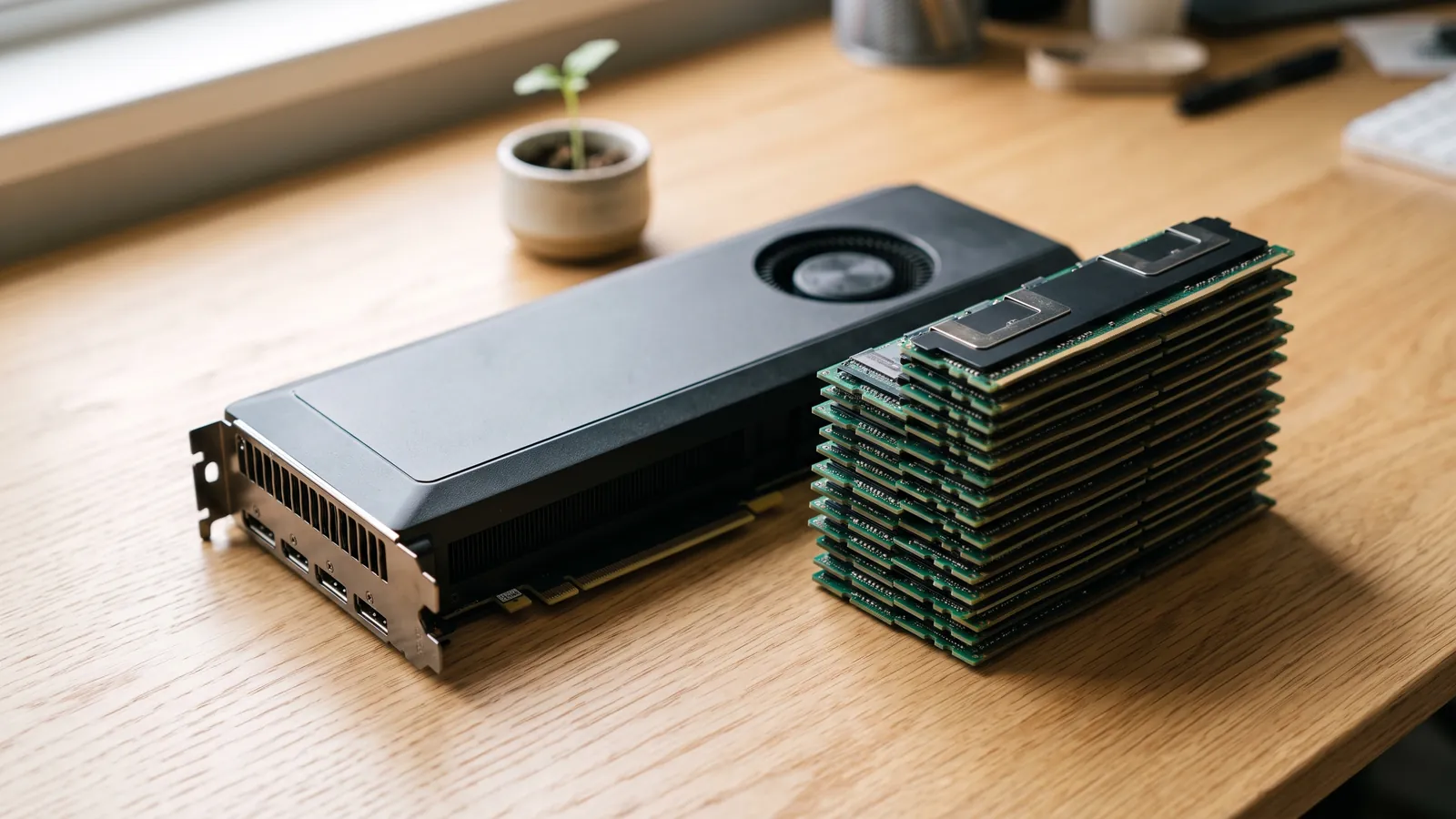
A 70B model needs about 44.5 GiB of GPU memory at 4-bit and about 75.7 GiB at 8-bit, with an 8K context. Those are our estimates for Llama 3.3 70B Instruct at Q4_K_M and Q8_0; with a 32K context they rise to 52.0 GiB and 83.2 GiB. No single consumer graphics card is big enough: even the GeForce RTX 5090, with 32 GB, falls short at 4-bit. The 4-bit model with an 8K context fits a 48 GB workstation card, such as the RTX 6000 Ada Generation at an estimated 15 tok/s, or a 64 GB Mac (about 9.2 tok/s on an M5 Max). For 8-bit weights you need 96 GB-class hardware: the RTX PRO 6000 Blackwell Workstation Edition (96 GB) runs Q8_0 with a 32K context at about 16 tok/s, a Mac Studio with M5 Ultra and 256 GB at about 10 tok/s, and a DGX Spark with 128 GB holds it too, at only about 2.2 tok/s. Every figure here comes from our hardware and model data and our published estimation method; they are estimates, not benchmarks. You can check any other setup in the calculator.
How much memory a 70B model needs
Llama 3.3 70B Instruct is a dense model: all 70B parameters take part in every token. Its memory has three parts:
- Weights: about 39.5 GiB at Q4_K_M (4.85 bits per weight) and 69.3 GiB at Q8_0 (8.5 bits). Our quantization guide explains the formats.
- KV cache: the attention keys and values for every token in the context. Llama 3.3 70B keeps a full cache in all of its layers, so the cache grows in step with the context: about 2.5 GiB at 8K, 10.0 GiB at 32K and 40.0 GiB at its full 131,072-token context, in the default 16-bit format.
- Runtime overhead: CUDA or Metal buffers and activations, which our method adds as a share of the weights.
| Quantization | Bits per weight | Memory needed @ 8K | Memory needed @ 32K | Memory needed @ 128K |
|---|---|---|---|---|
| Q4_K_M | 4.85 | 44.5 GiB | 52.0 GiB | 82.0 GiB |
| Q5_K_M | 5.69 | 51.7 GiB | 59.2 GiB | 89.2 GiB |
| Q6_K | 6.59 | 59.4 GiB | 66.9 GiB | 96.9 GiB |
| Q8_0 | 8.5 | 75.7 GiB | 83.2 GiB | 113.2 GiB |
| FP16 | 16 | 139.9 GiB | 147.4 GiB | 177.4 GiB |
Estimates from our methodology, using data as of 2026-10-16. Real speed depends on the runtime, drivers and prompt length.
Two things follow. FP16 is not a realistic local option for a 70B model; almost everyone runs it quantized. And context is the part you control at run time: the same weights need very different hardware at 8K and at 128K.
Which hardware can run a 70B model
For each device, the tables show how much memory the GPU can use and the estimated generation speed at each setting, or "Doesn't fit". Graphics cards first, with NVIDIA's DGX Station at the end:
| Hardware | Usable by the GPU | Q4_K_M · 8K (44.5 GiB) | Q4_K_M · 32K (52.0 GiB) | Q8_0 · 8K (75.7 GiB) | Q8_0 · 32K (83.2 GiB) |
|---|---|---|---|---|---|
| GeForce RTX 4090 (24 GB) | 24 GB | Doesn't fit | Doesn't fit | Doesn't fit | Doesn't fit |
| GeForce RTX 5090 (32 GB) | 32 GB | Doesn't fit | Doesn't fit | Doesn't fit | Doesn't fit |
| RTX A6000 (48 GB) | 48 GB | 12 tok/s | Doesn't fit | Doesn't fit | Doesn't fit |
| RTX 6000 Ada Generation (48 GB) | 48 GB | 15 tok/s | Doesn't fit | Doesn't fit | Doesn't fit |
| RTX PRO 5000 48GB Blackwell (48 GB) | 48 GB | 21 tok/s | Doesn't fit | Doesn't fit | Doesn't fit |
| RTX PRO 5000 72GB Blackwell (72 GB) | 72 GB | 21 tok/s | 21 tok/s | Doesn't fit | Doesn't fit |
| RTX PRO 6000 Blackwell Workstation Edition (96 GB) | 96 GB | 28 tok/s | 28 tok/s | 16 tok/s | 16 tok/s |
| DGX Station (GB300) (252 GB) | 252 GB | 95 tok/s | 95 tok/s | 59 tok/s | 59 tok/s |
Estimates from our methodology, using data as of 2026-10-16. Real speed depends on the runtime, drivers and prompt length.
Then Macs and unified-memory mini PCs, where the GPU shares the system's memory:
| Hardware | Usable by the GPU | Q4_K_M · 8K (44.5 GiB) | Q4_K_M · 32K (52.0 GiB) | Q8_0 · 8K (75.7 GiB) | Q8_0 · 32K (83.2 GiB) |
|---|---|---|---|---|---|
| M5 Pro (64 GB) | 48 GB | 4.7 tok/s | Doesn't fit | Doesn't fit | Doesn't fit |
| M5 Max (18-core CPU / 40-core GPU) (64 GB) | 48 GB | 9.2 tok/s | Doesn't fit | Doesn't fit | Doesn't fit |
| M5 Max (18-core CPU / 40-core GPU) (128 GB) | 96 GB | 9.2 tok/s | 9.2 tok/s | 5.3 tok/s | 5.3 tok/s |
| M5 Ultra (96 GB) | 72 GB | 18 tok/s | 18 tok/s | Doesn't fit | Doesn't fit |
| M5 Ultra (256 GB) | 192 GB | 18 tok/s | 18 tok/s | 10 tok/s | 10 tok/s |
| DGX Spark (128 GB) | 96 GB | 3.8 tok/s | 3.8 tok/s | 2.2 tok/s | 2.2 tok/s |
| Ryzen AI Max+ 395 (Strix Halo) systems (128 GB) | 96 GB | 3.6 tok/s | 3.6 tok/s | 2.1 tok/s | 2.1 tok/s |
Estimates from our methodology, using data as of 2026-10-16. Real speed depends on the runtime, drivers and prompt length.
Reading the tables:
- Q4_K_M with an 8K context (44.5 GiB) is the entry point. It fits 48 GB cards with little room to spare: the RTX PRO 5000 48GB Blackwell runs it at about 21 tok/s and the older RTX A6000 at about 12 tok/s. It also fits 64 GB Macs and mini PCs.
- Q4_K_M with a 32K context (52.0 GiB) needs more: the RTX PRO 5000 72GB Blackwell (about 21 tok/s), a 96 GB Mac Studio with M5 Ultra (about 18 tok/s) or a 128 GB machine.
- Q8_0 (75.7 GiB at 8K) needs a 96 GB card or 128 GB or more of unified memory. A 96 GB Mac is not enough: its GPU gets about 72 GB by default.
- Unified memory is not all GPU memory. macOS and the mini PCs' operating systems give the GPU only part of the memory by default (75% on a Mac in our estimates; the Usable column shows each device), so a 64 GB machine has about 48 GB for the model. On a Mac you can raise the limit.
- Speed follows bandwidth, not memory size. The same Q4_K_M model is estimated at 3.8 tok/s on a DGX Spark (273 GB/s), 18 tok/s on an M5 Ultra (1,200 GB/s) and 28 tok/s on an RTX PRO 6000 (1,792 GB/s). Our GPU guide explains why.
Two consumer GPUs instead of one big card
The usual way to run a 70B model on consumer hardware is two 24 GB cards, such as two second-hand GeForce RTX 3090 cards. When a model doesn't fit on one GPU, Ollama spreads it across all the GPUs it finds, and llama.cpp does the same. Two 24 GB cards give 48 GB, enough on paper for Q4_K_M with an 8K context. Three things to know:
- It's tight. Each card carries its own runtime buffers, so the usable total is a little under 48 GB. Keep the context short or quantize the KV cache (see below).
- It adds memory, not speed. With the layers split between the cards, each token passes through the first card's layers and then the second's, so one user gets roughly the speed of a single card that could hold the whole model. Serving engines such as vLLM can split every layer across the cards (tensor parallelism), which raises throughput mainly when many requests run at once. Our GPU guide covers this in more detail.
- Power and space. Each RTX 3090 is rated at 350 W, so two need a large power supply, a motherboard with two well-spaced slots and good airflow.
Our estimator models one device at a time, which is why the tables above have no multi-GPU rows.
Making a 70B model fit in less memory
- Set the context you actually need. Ollama's documentation gives its default context as 4,096 tokens. To use more, set
OLLAMA_CONTEXT_LENGTHwhen you start the server, or/set parameter num_ctxinsideollama run. Remember that every extra token of context costs memory.
OLLAMA_CONTEXT_LENGTH=32768 ollama serve
ollama run llama3.3:70b
- Quantize the KV cache. With Flash Attention on,
OLLAMA_KV_CACHE_TYPE=q8_0stores the cache in about half the memory of the default f16, which Ollama's documentation describes as a very small loss in precision. For Llama 3.3 70B at 32K, that saves about half of the 10.0 GiB cache. - Go below 4-bit only if you must. Q3_K and the 2–3-bit IQ quants shrink the weights further, at a cost in quality that grows quickly below 4 bits. Our estimates start at Q4_K_M; the quantization guide covers the trade-off, and its worked example shows why Q4_K_M is the highest level that fits a 64 GB Mac.
- Offload to system RAM as a last resort. llama.cpp and Ollama can run the layers that don't fit on the CPU, and
ollama psshows the CPU/GPU split. It works, but system RAM is much slower than GPU memory, so the whole model slows down. Our GPU guide explains why.
Dense or mixture-of-experts?
Not every large model costs the same to run. A mixture-of-experts (MoE) model needs memory for all of its parameters but reads only the active ones for each token. Qwen3-Coder-Next (80B-A3B), with 80B (3B active) parameters, needs about 48.1 GiB at Q4_K_M with an 8K context, close to Llama 3.3 70B, but it is estimated to run many times faster on the same hardware:
| Hardware | Bandwidth | Fits? (48.1 GiB) | tok/s (est.) |
|---|---|---|---|
| M5 Max (18-core CPU / 40-core GPU) (128 GB) | 614 GB/s | Yes | 153 |
| M5 Ultra (96 GB) | 1,200 GB/s | Yes | 231 |
| DGX Spark (128 GB) | 273 GB/s | Yes | 76 |
| Ryzen AI Max+ 395 (Strix Halo) systems (128 GB) | 256 GB/s | Yes | 72 |
| RTX PRO 5000 72GB Blackwell | 1,344 GB/s | Yes | 254 |
| RTX PRO 6000 Blackwell Workstation Edition | 1,792 GB/s | Yes | 290 |
Estimates from our methodology, using data as of 2026-10-16. Real speed depends on the runtime, drivers and prompt length.
Treat MoE speeds as upper bounds: routing between experts adds work that our bandwidth formula does not count. Even so, this is why the large-memory, lower-bandwidth machines suit MoE models better than dense 70B ones.
Which machine to buy for a 70B model
- Lowest cost, more effort: two 24 GB cards in a desktop, for Q4_K_M with short contexts. Check your power supply, case and cooling first.
- One card, highest speed: the RTX PRO 6000 Blackwell Workstation Edition (96 GB) fits every setting in the tables, at workstation prices. The 72 GB RTX PRO 5000 covers 4-bit up to a 32K context, and the 48 GB one 4-bit with a short context.
- One quiet box with lots of memory: a Mac Studio. With M5 Ultra, 96 GB covers 4-bit up to a 32K context. For 8-bit you need 128 GB on an M5 Max (about 5.3 tok/s) or 256 GB on an M5 Ultra (about 10 tok/s). You choose the memory when you order, and it can't be added later.
- NVIDIA's software stack in a small box: the DGX Spark with 128 GB holds even Q8_0, but it is slow on dense 70B models. It is a better fit for MoE models.
For prices and value scores side by side, see Mac Studio vs NVIDIA GPU and our price tracker.
OnPrem World sells some of the hardware in these tables by quote, including NVIDIA workstation cards and the DGX Spark and DGX Station. Every device is estimated with the same data and method, whether we sell it or not; see our independence policy.
Frequently asked questions
How much VRAM do I need to run a 70B model?
By our estimate Llama 3.3 70B needs about 44.5 GiB at Q4_K_M with an 8K context and about 52.0 GiB at 32K. At Q8_0 it needs about 75.7 GiB at 8K and 83.2 GiB at 32K. In hardware terms: 48 GB of GPU memory for 4-bit with a short context, and a 96 GB card or 128 GB of unified memory for 8-bit.
Can an RTX 4090 or RTX 5090 run a 70B model?
Not on its own. Even at Q4_K_M with an 8K context the model needs about 44.5 GiB, more than the 32 GB of an RTX 5090 or the 24 GB of an RTX 4090. You can offload the layers that don't fit to system RAM, which works but is much slower, or add a second card.
Can two RTX 3090s run Llama 3.3 70B?
Two 24 GB cards give 48 GB in total, which on paper holds the Q4_K_M model at an 8K context (about 44.5 GiB by our estimate), with little room to spare because each card needs its own runtime buffers. Ollama and llama.cpp spread the layers across both cards automatically. That adds memory, not speed: each token still passes through one card and then the other. Our estimator models single devices, so we don't publish a speed for two-card setups.
Is a 64 GB Mac enough for a 70B model?
For 4-bit with a short context, yes; for long contexts, no. By default macOS lets the GPU use about 48 GB of a 64 GB Mac. Llama 3.3 70B at Q4_K_M needs about 44.5 GiB at 8K, which fits (an estimated 9.2 tok/s on an M5 Max), but about 52.0 GiB at 32K, which does not. A 96 GB Mac Studio with M5 Ultra handles 32K at about 18 tok/s, and Q8_0 needs 128 GB or more.
How fast does a 70B model run on local hardware?
Generation speed follows memory bandwidth, because a dense model reads every weight for every token. At Q4_K_M with an 8K context our estimates range from about 3.8 tok/s on a DGX Spark and 3.6 tok/s on a Ryzen AI Max+ 395 system, through 18 tok/s on an M5 Ultra Mac Studio, to 28 tok/s on an RTX PRO 6000. These are estimates, not benchmarks.
Is a mixture-of-experts model in the 70–80B range easier to run than a dense 70B?
It needs about as much memory but runs much faster. Qwen3-Coder-Next has 80B (3B active) parameters and needs about 48.1 GiB at Q4_K_M with an 8K context, close to Llama 3.3 70B, but each token reads only the active parameters. On a 128 GB DGX Spark our estimate is about 76 tok/s, against 3.8 tok/s for Llama 3.3 70B. Treat MoE estimates as upper bounds.
Sources
- https://github.com/meta-llama/llama-models/blob/main/models/llama3_3/MODEL_CARD.md
- https://huggingface.co/meta-llama/Llama-3.3-70B-Instruct
- https://ollama.com/library/llama3.3/tags
- https://huggingface.co/Qwen/Qwen3-Coder-Next
- https://docs.ollama.com/faq
- https://docs.ollama.com/gpu
- https://github.com/ggml-org/llama.cpp/blob/master/tools/server/README.md
- https://docs.vllm.ai/en/latest/serving/parallelism_scaling.html
- https://github.com/ggml-org/llama.cpp/discussions/15396
- https://www.apple.com/mac-studio/specs/